The design tool landscape has transformed dramatically in recent years. What was once a category dominated by desktop applications with steep learning curves has become a vibrant ecosystem of browser-based, collaborative platforms that blur the lines between design, prototyping, development, and no-code building. In 2026, the best design tools do far more than push pixels. They enable real-time collaboration, generate production-ready code, integrate with development workflows, and increasingly use AI to accelerate creative work.
Whether you are a product designer crafting interfaces, a web designer building sites, or a team leader facilitating brainstorming sessions, the right tool can fundamentally change how fast and how well your team creates. We evaluated the top design and creative tools across interface design capability, prototyping power, collaboration features, learning curve, ecosystem integrations, and pricing accessibility. Here are the 10 best design and creative tools for 2026.
Figma has become the default design tool for product teams worldwide, and its dominance continues to grow in 2026. The browser-based platform combines interface design, prototyping, design systems, and real-time collaboration in a single environment that runs on any operating system. Figma's multiplayer editing, where multiple designers work on the same file simultaneously, fundamentally changed how design teams collaborate and has become the standard that every competitor tries to match.
Figma's feature set covers the full product design workflow. Auto Layout provides responsive design capabilities, Components and Variants enable scalable design systems, and Interactive Prototyping supports complex micro-interactions and conditional logic. Dev Mode gives developers precise specs, CSS values, and asset exports directly from design files. Figma's plugin ecosystem, with thousands of community-built plugins, extends functionality into areas like accessibility checking, content population, icon libraries, and AI-powered design generation.
Figma offers a generous free tier for up to 3 projects with full editing capabilities, making it accessible to freelancers and small teams. The Professional plan at $15 per editor per month unlocks unlimited projects, shared libraries, and advanced prototyping. The Organization plan at $45 per editor per month adds design system analytics, branching and merging, centralized admin controls, and SSO. Enterprise pricing at $75 per editor per month adds advanced security, dedicated support, and custom terms. Figma is the right choice for nearly any product design team, with its only significant limitations being that it requires an internet connection for full functionality and its prototyping, while powerful, is less capable than dedicated prototyping tools like ProtoPie for extremely complex interactions.
Sketch pioneered the modern UI design tool category and remains a strong choice for Mac-based design teams who prefer a native desktop application. While Figma has overtaken it in market share, Sketch continues to evolve with a capable web app for collaboration, a robust Symbols system for design components, and a focused feature set that prioritizes interface design without the bloat of trying to be everything to everyone.
Sketch's Mac app offers smooth, native performance that browser-based tools struggle to match, particularly when working with large, complex files. The platform's Smart Layout system handles responsive resizing elegantly, and its Libraries feature enables shared design systems across teams and projects. Sketch's web app allows stakeholders and developers to inspect designs, leave comments, and download assets without needing a Mac. The plugin ecosystem, while smaller than Figma's, includes essential tools and integrations with popular development and project management platforms.
Sketch pricing is $12 per editor per month (billed annually) for the Standard plan, which includes the Mac app, web app, unlimited viewers, and real-time collaboration. A one-time Mac-only license is available at $120 for teams that do not need collaboration features. This straightforward pricing makes Sketch competitive, especially for smaller teams. Sketch is best for Mac-centric design teams that value native app performance and a focused toolset. It is not suitable for teams with Windows or Linux users, and organizations requiring advanced prototyping or the broadest plugin ecosystem will find Figma more capable.
InVision has evolved from its origins as a prototyping tool into a platform focused on design collaboration, presentation, and stakeholder feedback. While it has ceded the core design tool market to Figma, InVision's strengths in design communication remain relevant for teams that need polished ways to present designs, collect structured feedback, and manage design projects across organizations.
InVision's Freehand product is a collaborative whiteboarding tool that supports brainstorming, wireframing, and workshop facilitation with templates and real-time collaboration. The platform's prototype viewer allows designers to share interactive prototypes with stakeholders via simple links, collect contextual comments pinned to specific screens, and track feedback status. InVision's DSM (Design System Manager) helps teams document and distribute design systems with living style guides that stay in sync with design files.
InVision offers a free plan with limited prototypes and collaborators. The Pro plan starts at $7.95 per month, and enterprise pricing is custom. InVision is best for teams that need strong design presentation and feedback workflows, particularly in organizations where non-designers (product managers, executives, clients) need to review and comment on designs regularly. However, the platform's relevance has diminished as Figma and other tools have absorbed many of its core use cases. Teams evaluating InVision should consider whether Figma's built-in commenting and presentation features are sufficient before adding another tool to their stack.
Marvel is a design and prototyping platform that prioritizes speed and simplicity. The platform lets you create wireframes, mockups, and interactive prototypes quickly using its built-in design editor or by importing screens from Figma, Sketch, or Photoshop. Marvel's standout feature is its integrated user testing capability, which lets you record real users interacting with your prototypes, capturing screen recordings, audio, and task completion data without needing a separate testing tool.
Marvel's design editor is intentionally simple, offering enough functionality to create wireframes and mid-fidelity mockups without the complexity of a full design tool. This makes it accessible to product managers, UX researchers, and other non-designers who need to quickly visualize ideas without learning Figma. The prototyping system supports hotspot-based interactions, transitions, and gestures. Design Specs provide developers with measurements, colors, and CSS values from Marvel designs.
Marvel offers a free plan for one project. The Pro plan is $16 per user per month with unlimited projects and user testing sessions. The Team plan at $48 per user per month adds team features, integrations, and priority support. Marvel is best for UX teams that want prototyping and user testing in one tool, product managers who need to create quick prototypes without designer involvement, and teams in early-stage product development focused on rapid validation. It is not a replacement for Figma or Sketch as a primary design tool for high-fidelity interface work.
Framer has reinvented itself from a code-based prototyping tool into a powerful website design and publishing platform that lets designers create production websites without writing code. The platform combines a Figma-like design interface with the ability to publish your designs as fully functional, hosted websites. This makes Framer uniquely powerful for marketing sites, landing pages, portfolios, and other content-driven websites where design fidelity is paramount.
Framer's design capabilities include a familiar layers-based interface, auto layout for responsive design, reusable components, and rich interactions and animations that go far beyond what typical website builders offer. The platform generates clean, semantic HTML and optimized code, resulting in fast page load times and strong Core Web Vitals scores. Built-in CMS functionality supports blog posts, case studies, and other dynamic content. Framer also offers localization features for multi-language sites and integrates with analytics, forms, and other third-party services.
Framer offers a free plan for personal sites with a Framer subdomain. The Mini plan at $10 per month adds a custom domain and removes Framer branding. The Basic plan at $20 per month adds CMS, more pages, and bandwidth. The Pro plan at $35 per month adds advanced features, staging, and password protection. Enterprise pricing is custom. Framer is ideal for designers who want to own the entire website creation process from design to deployment, marketing teams creating landing pages, and agencies building client websites. It is not suited for complex web applications, ecommerce stores, or sites requiring backend functionality beyond its CMS capabilities.
Webflow bridges the gap between design tools and web development by providing a visual interface that generates production-quality HTML, CSS, and JavaScript. Unlike simpler website builders, Webflow gives designers direct control over the box model, flexbox, grid, CSS animations, and interactions, producing sites with the precision of hand-coded development without writing code. For designers who understand web design principles, Webflow offers unmatched creative freedom.
Webflow's CMS is one of the most flexible in the visual builder category, supporting custom content structures, dynamic filtering, conditional visibility, and reference fields that enable complex content relationships. The platform's Interactions system allows designers to create sophisticated scroll-based animations, hover effects, page transitions, and micro-interactions that rival custom JavaScript implementations. Webflow also offers ecommerce capabilities, client billing features for agencies, and a growing component marketplace.
Webflow's Starter plan is free with Webflow branding and limited pages. Site plans for hosted websites range from $18 per month (Basic) to $49 per month (Business). Workspace plans for design collaboration start at $28 per user per month. Ecommerce plans range from $42 to $235 per month. Webflow is ideal for web designers who want pixel-perfect control, agencies building marketing sites, and teams creating complex marketing pages with rich animations. Its learning curve is steeper than Framer or Squarespace, and it requires understanding CSS concepts. Complex web applications requiring custom backend logic are better served by traditional development or Bubble.
Bubble is the most capable no-code platform for building full-featured web applications with complex logic, databases, user authentication, and integrations. While other tools on this list focus on design and static websites, Bubble enables designers and non-developers to build functional SaaS products, marketplaces, CRMs, internal tools, and other data-driven applications without writing code. The platform provides a visual programming environment that handles both frontend design and backend logic.
Bubble's visual editor combines a drag-and-drop interface builder with a workflow system for defining application logic. You can create database schemas, set up user authentication and permissions, build API integrations, process payments, send emails, and implement conditional logic, all through visual interfaces. The platform supports responsive design, reusable elements, and custom plugins. Bubble's plugin marketplace adds pre-built components and integrations for common needs like chart libraries, map integrations, and third-party service connections.
Bubble offers a free plan for learning and development with Bubble branding. The Starter plan at $32 per month provides a custom domain and basic capacity. The Growth plan at $134 per month adds more server capacity, file storage, and advanced features. The Team plan at $334 per month adds collaboration features, version control, and priority support. Enterprise pricing is custom. Bubble is best for entrepreneurs building MVPs, product teams creating internal tools, and businesses that need custom web applications but lack development resources. It is not ideal for mobile apps (consider FlutterFlow), content-heavy websites (consider Webflow), or applications requiring extreme performance at massive scale.
Wix Studio is Wix's professional-grade web design platform built specifically for designers and agencies. It moves beyond Wix's consumer-oriented drag-and-drop builder to offer responsive design controls, advanced layout tools, custom CSS capabilities, and client management features. The platform sits between the simplicity of standard Wix and the complexity of Webflow, offering enough design control for professional work while remaining accessible to designers without deep CSS knowledge.
Wix Studio's responsive AI automatically adapts designs across breakpoints, though designers can manually adjust layouts for each screen size. The platform supports custom interactions and animations, scroll effects, and dynamic content through Wix's CMS. For agencies, Wix Studio provides client billing, white-label capabilities, team collaboration, and the ability to manage multiple client sites from a single workspace. The platform's AI tools can generate initial layouts, suggest design improvements, and create content, accelerating the design process.
Wix Studio is free for designers to use for design and development. Clients pay for Wix hosting plans starting at $17 per month, with agencies earning revenue share on client plans. Wix Studio is ideal for freelance designers and agencies building client websites who want a faster workflow than Webflow without sacrificing professional quality. It is less suitable for designers who need pixel-level CSS control (Webflow is better), teams building complex web applications (Bubble is better), or organizations already invested in Figma-to-development workflows.
Miro is the leading collaborative whiteboard platform, used by design teams for brainstorming, user journey mapping, wireframing, workshop facilitation, and design thinking exercises. While not a design production tool, Miro plays a critical role in the early stages of the design process where ideas are generated, organized, and validated before moving into high-fidelity design tools like Figma.
Miro's infinite canvas supports sticky notes, shapes, connectors, embedded media, drawing tools, and a vast template library covering design thinking, agile workflows, strategy mapping, and research synthesis. Real-time collaboration with voting, timer, and facilitation features makes it excellent for remote workshops. Miro integrates with Figma, Jira, Slack, Confluence, and other tools to connect ideation with execution. The platform's AI features help summarize content on boards, cluster sticky notes by theme, and generate mind maps from text.
Miro offers a free plan for up to 3 boards with unlimited team members. The Starter plan at $10 per member per month unlocks unlimited boards and basic integrations. The Business plan at $20 per member per month adds advanced features including voting, estimation, dependency mapping, and SSO. Enterprise pricing is custom. Miro is essential for distributed design teams that need a shared space for ideation and planning. It is not a substitute for dedicated design tools (use Figma for UI design) or project management tools (use Jira or Linear for task tracking), but it fills the collaboration gap that those tools do not address.
FigJam is Figma's built-in whiteboarding tool, designed to bring the same collaborative spirit of Figma's design editor to brainstorming, planning, and team alignment activities. As a native part of the Figma ecosystem, FigJam offers seamless integration with Figma design files, allowing teams to move fluidly between ideation and execution within the same platform.
FigJam provides an intuitive canvas with sticky notes, shapes, connectors, stamps, emoji reactions, and a library of community-created templates for retrospectives, brainstorming sessions, user flows, org charts, and more. The tool supports real-time collaboration with cursor chat, audio chat, and voting features. FigJam's AI capabilities can generate diagrams from text descriptions, summarize board content, and sort sticky notes into themes. The ability to embed Figma frames directly in FigJam boards and link FigJam artifacts back to Figma projects creates a tight workflow loop.
FigJam is included free for anyone with a Figma account, with unlimited FigJam files on the free plan. This makes it the most accessible whiteboarding option for teams already using Figma. Paid Figma plans include additional FigJam features like audio chat, voting, and advanced templates. FigJam is the natural choice for teams already using Figma as their primary design tool who want whiteboarding capabilities without adding another vendor. It is lighter in features than Miro, particularly for complex workshop facilitation, process mapping, and enterprise-scale use cases. Teams with intensive whiteboarding needs across non-design functions may still prefer Miro's broader feature set.
| Tool | Primary Category | Starting Price | Best For | Free Tier |
|---|---|---|---|---|
| Figma | UI/UX Design | $15/editor/month | Product design teams | Yes (3 projects) |
| Sketch | UI/UX Design | $12/editor/month | Mac-based design teams | No (free trial) |
| InVision | Design Collaboration | $7.95/month | Design presentation and feedback | Yes (limited) |
| Marvel | Prototyping + User Testing | $16/user/month | Rapid prototyping and validation | Yes (1 project) |
| Framer | Website Design + Publishing | $10/month | Design-to-live-website workflow | Yes (Framer subdomain) |
| Webflow | Visual Web Development | $18/month (site) | Pixel-perfect websites with code output | Yes (limited) |
| Bubble | No-Code App Builder | $32/month | Full web applications without code | Yes (Bubble branding) |
| Wix Studio | Agency Web Design | Free for designers | Agencies and client websites | Yes |
| Miro | Whiteboarding + Ideation | $10/member/month | Team brainstorming and planning | Yes (3 boards) |
| FigJam | Whiteboarding (Figma) | Included with Figma | Figma teams needing whiteboarding | Yes (unlimited files) |
| Feature | Figma | Sketch | Framer | Webflow | Miro |
|---|---|---|---|---|---|
| Real-Time Collaboration | Excellent | Good (via web) | Good | Good | Excellent |
| Prototyping | Advanced | Basic | Advanced | Advanced | None |
| Design Systems | Excellent | Good | Good | Good | N/A |
| Publishes Live Websites | No | No | Yes | Yes | No |
| Dev Handoff | Excellent (Dev Mode) | Good | N/A (publishes directly) | N/A (publishes directly) | N/A |
| Plugin Ecosystem | Thousands | Hundreds | Growing | Moderate | Hundreds |
| Works in Browser | Yes | Yes (viewer/inspector) | Yes | Yes | Yes |
| Desktop App | Yes (Electron) | Yes (Mac native) | Yes | No | Yes |
| AI Features | Growing | Limited | Yes | Yes | Yes |
Our ranking methodology evaluated each tool across six weighted criteria reflecting the needs of modern design and creative teams:
Design and creative tools serve very different purposes, so the right choice depends on what you are trying to accomplish. Here are the key questions to guide your decision:
Most design teams in 2026 center their workflow around Figma for core design work and add specialized tools as needed. A typical stack might include Figma for interface design, FigJam or Miro for brainstorming, and Framer or Webflow for marketing site design and publishing. The key is choosing tools that integrate well together and match the skills of the people using them. Avoid tool sprawl by starting with fewer tools and expanding only when specific needs are not met by your current stack.

A curated collection of free PSD mockups for presenting design work in realistic settings.

A procedural 3D animation and VFX software used for complex simulations, effects, and procedural modeling in film and games.
An industry-standard compositing software for visual effects used in film, television, and high-end commercial production.

A visual discovery platform used by designers to find and organize design inspiration through curated image boards.
A marketplace for design assets including fonts, graphics, templates, themes, and photos from independent creators.
Adobe's stock content marketplace integrated directly into Creative Cloud apps offering photos, videos, templates, and 3D assets.
A stock photography marketplace by Getty Images offering affordable photos, illustrations, vectors, and video clips.
A global marketplace for stock photography, illustrations, vectors, videos, and music with over 400 million assets.
A platform offering beautiful free high-resolution photos contributed by photographers worldwide under a permissive license.
A free stock photo and video platform with a curated library of high-quality visual content for commercial use.

Adobe's creative portfolio platform for showcasing and discovering creative work across design, illustration, and photography.

A design community platform where designers share work, find inspiration, and connect with clients and employers.
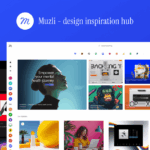
A browser extension and platform that curates the best design inspiration, articles, and resources from across the web.

A visual type scale calculator for establishing consistent typographic hierarchies in web design projects.

An AI-powered font pairing tool that generates harmonious font combinations using deep learning.

An AI-powered color tool that learns your preferences and generates personalized color palettes and combinations.
A fast color palette generator for designers with tools for creating, saving, and sharing harmonious color schemes.
A mockup and design template platform for creating product mockups, logos, videos, and social media designs.

A fast online graphic design tool optimized for creating social media images, ads, and blog headers quickly.
A data visualization tool for creating responsive charts, maps, and tables that are accessible and mobile-friendly.
